


Smarter monetization strategies - powered by AdMob’s new reporting tools
Wouldn’t it be great if you could slice and dice your app performance data and drill down to the most specific and actionable insight to help you monetize smarter? We’d like to to announce a new feature in AdMob to help you achieve that. In the Monetization section of AdMob, you can now directly apply multiple Dimensions and Filters in your Performance Reports and instantly generate customized reports to analyze, for example, the performance of specific apps and ad units in particular regions or countries.
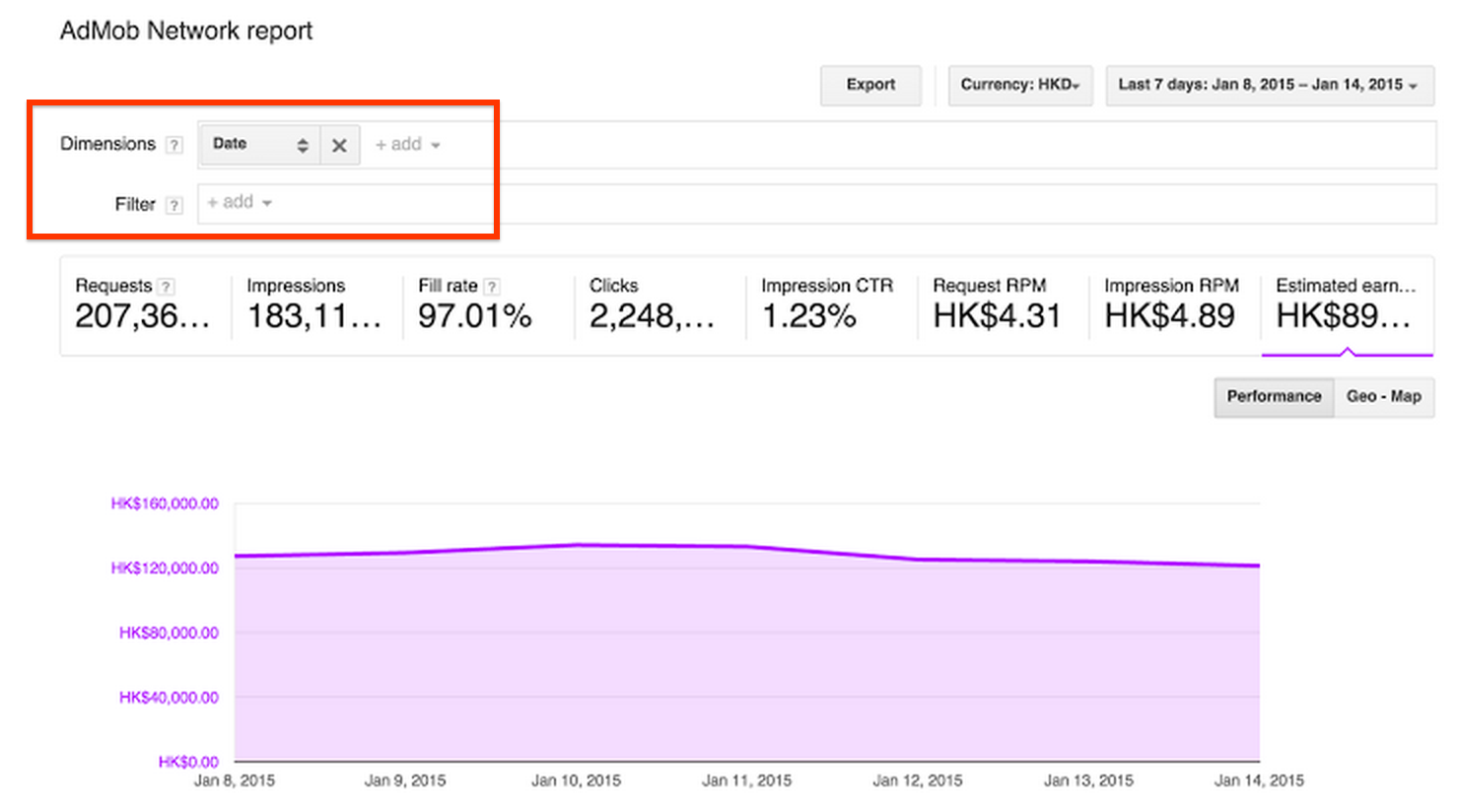 By applying dimensions, you can sort or change the types of data shown. Dimensions determine the columns displayed in your report. You can add dimensions to two different performance reports: the AdMob Network report and Admob Mediation report. Below are some example dimensions:
 Check out this new feature today and start refining your monetization strategy now. Refer to Performance Reports help center article for more details, and stay connected on all things AdMob following our Google+ page.
Posted by Sean Meng
- AdMob Network report dimensions:
- Date: View performance by date.
- App: View performance by app.
- Targeting type: View performance by targeting type.
- AdMob Mediation report dimensions:
- Date: View performance by date.
- Ad source: View performance by ad source, which measures mediation traffic.
- Allocation: View performance by allocation within ad slots.
- Ad unit
- Country
- Ad source
Posted by Sean Meng
AdMob Marketing


0 comments:
Post a Comment